

Here you will find answers to some frequently asked questions
Training
How long you need for a training session depends on your program. The number of repetitions and sets can vary depending on the training week and level. You should plan on about 20-30 minutes for a session. However, the most important thing is that you perform each exercise calmly and in a controlled manner at your own pace.
No. You do not need any equipment for training. A training mat is advantageous, and in some cases, smaller items (such as a towel) or common household items (such as a chair) may be needed.
It doesn’t matter whether you are a beginner, advanced or professional, as your doctor will create a training plan based on your fitness level. If you are unable to perform certain exercises, your doctor can replace individual exercises when creating your training plan. All exercises are also shown and explained in detail in the app, so no prior knowledge is necessary.
It doesn’t matter whether you are a beginner, advanced or professional, as your doctor will create a training plan based on your fitness level. If you are unable to perform certain exercises, your doctor can replace individual exercises when creating your training plan. All exercises are also shown and explained in detail in the app, so no prior knowledge is necessary.
Listen to your body! If you are not feeling well, you should postpone your training to another day. Also, make sure you drink enough fluids, especially on training days. If you feel pain during certain exercises, skip them and use the feedback function to indicate where and what kind of pain you experienced.
Perform the exercises at your own pace. It is not important to do the exercises quickly one after the other, but to do them in a controlled manner and with a positive body feeling.
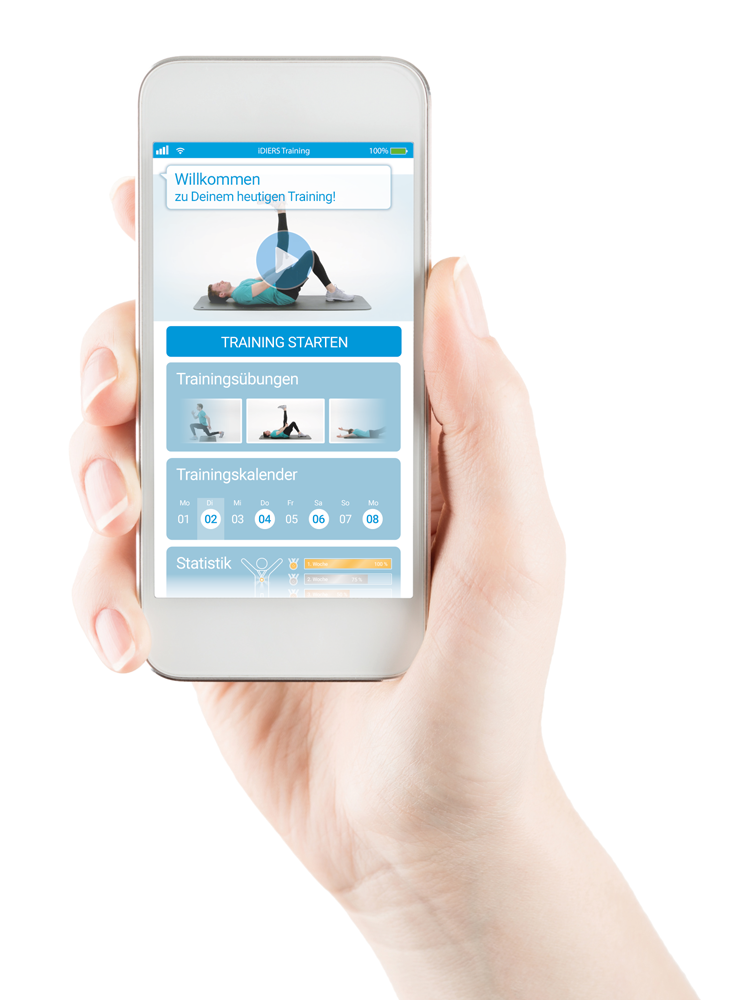
This depends on which training week and level you are in. You will find the number of repetitions in the upper left corner of the video during the workout.
Only your doctor can change the training program when creating your training plan. It is advisable to discuss the training exercises with your doctor before the QR code is finally generated so that any exercises you may not be able to perform can be replaced immediately. If you need a new plan within the first 4 weeks (e.g., because you can no longer perform some exercises due to new pain), as a private patient, you have the option of having your doctor issue you a new code free of charge.
No. You have the option to postpone your training session. However, you must do this before your scheduled training. Simply click on “Postpone training” under “My training plan” and the corresponding training session.
All exercises are explained in detail in our training videos. Before you perform the exercise, watch the demonstration video and listen to what you need to pay attention to. Once you know how to perform the exercise correctly, click on “Start exercise.”
Useful training tips
If you feel pain in your neck when lifting your head for a long time, you can rest your forehead on a towel. Your head should always remain in line with your spine.
When doing support exercises, try to distribute the pressure across your fingers and consciously tense them. Alternatively, you can support yourself on your fists. Another option is to place a rolled towel under the balls of your feet to reduce the angle of your wrists.
To make exercises in a half-kneeling position a little more comfortable, you can place a towel or pillow under your knee. If you place a towel under your knees during exercises where both knees are on the floor, make sure that both knees are raised equally.
For exercises in a one-legged standing position, e.g., a standing scale, you can use the back of a chair or something similar to hold on to. However, make sure that you remain in the same body axis and do not twist your hips.
If you cannot grasp your foot yourself, you can use a towel to help you with these exercises by placing it around your foot like a loop.
Proper breathing is essential for performance, endurance, and recovery. In general, you should breathe rhythmically and avoid holding your breath. During strength training, exhale during the exertion phase (when you lift or push) and inhale during the relaxation phase (when you lower the weight).
Technical questions
You need approx. 300 MB of free storage space for your training with iDIERS. The minimum requirements are version 7.0 for Android and 10.0 for iOS.
No. Synchronization is not possible at this time. It is best to always train with the same device so that your progress is not lost.
A stable internet connection is important for using iDIERS. However, the training itself can also be carried out without the internet once the training videos have been downloaded. An internet connection is required for this and for logging in.
Customer service
If you have any questions, suggestions, or criticism, you can contact us at any time at info@idiers.de. We will address your concerns as quickly as possible.
Payment
Private patients can submit the cost of the app to their private health insurance company.
If you are paying yourself, you can purchase the app in the App Store or Play Store. A three-month training program costs €89.99.
No. Once you have completed all 3 levels of your plan, the training ends automatically and will only be extended if you have your doctor generate a new QR code.
Account
Yes. However, your progress will not be saved if you repeat a training session you have already completed.
You can change your email address under “My Profile.”
If you want to change your password, you can do so in the settings under “Change password.”
No problem. If you have forgotten your password, you can reset it on the login page. After entering your email address, you will be sent an activation code and you can choose a new password.
Uninstalling the app does not automatically delete your data. However, you can do this in the app settings. Under “Delete account,” your current and past training plans will be deleted and your account will be removed from our database.
Simply uninstalling the app will not automatically delete your data. However, you can do this in the app settings. Under “Delete account,” your current and past training plans will be deleted and your account will be removed from our database.
General
If your doctor works with iDIERS, there is nothing standing in the way of training with iDIERS. You can find the iDIERS competence centers here.
We attach great importance to data protection. No personal data is stored in the QR code. Only the generated training plan is stored there. Furthermore, iDIERS GmbH does not process any directly personal data. Our privacy policy can be found here.